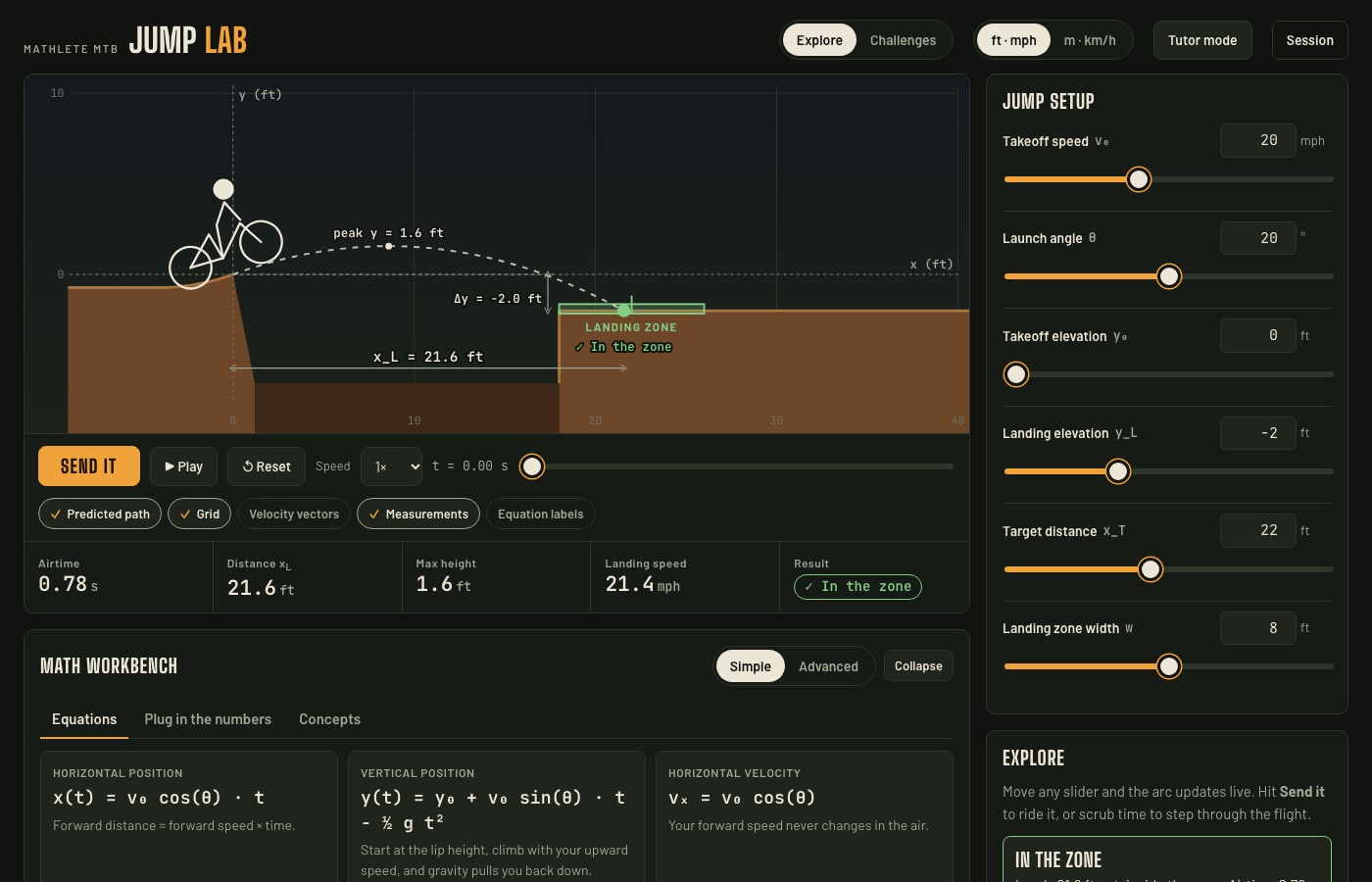
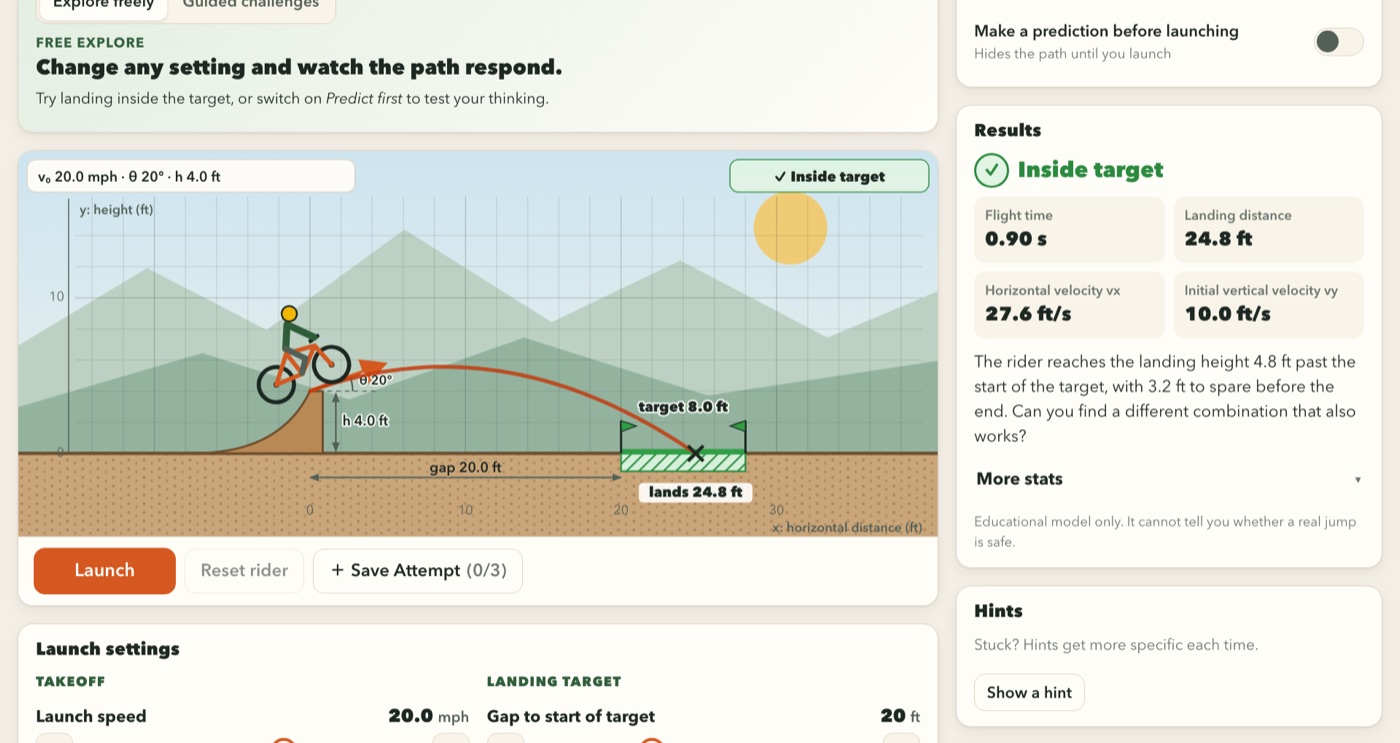
Explore mode: every slider redraws the arc, and the workbench shows the equations behind it.
Physics
Quadratics · Trig
In person or online
Students set the takeoff speed, launch angle, takeoff and landing heights, and the size of the landing zone, then hit Send it to ride the jump. The flight path, airtime, distance, peak height and landing speed all come straight from the projectile-motion equations, in feet and mph or metric.
Predict, then send it. Students commit to a prediction before each jump, then scrub through the flight one moment at a time to see where they were right.
A math workbench alongside. Simple or advanced equations, the numbers plugged in live, and concept cards on why the path is a parabola and how sine and cosine split the speed.
Missions from beginner to expert. Clear a gap, find the minimum speed, hit the same distance two different ways, and finally solve the jump on paper before trying it.
Tutor mode and session summary. I can guide the session, and a summary of attempts and missions is ready to talk through at the end. No personal data is stored.
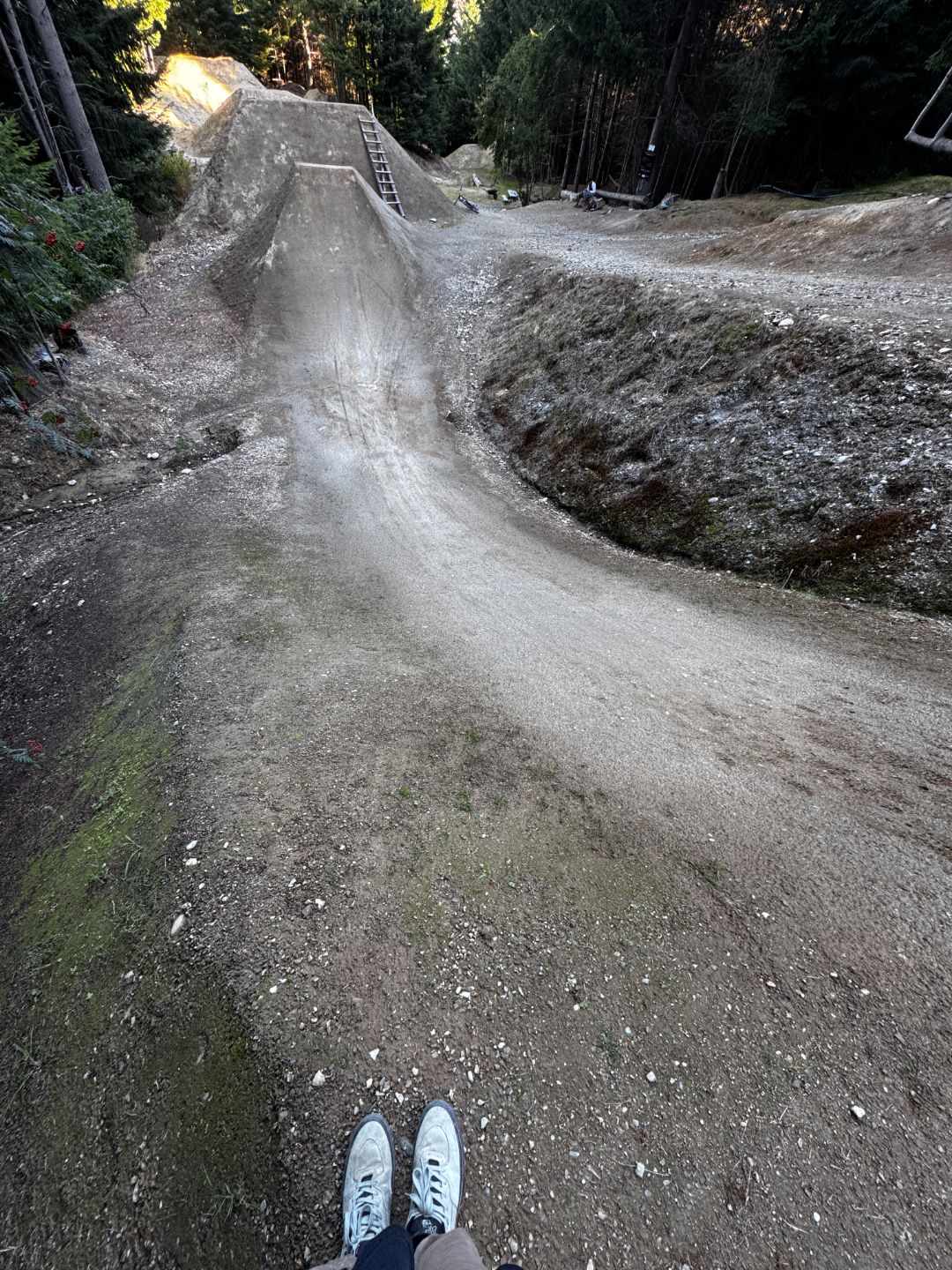
Every number in Jump Lab is something riders read off a real jump before they hit it.
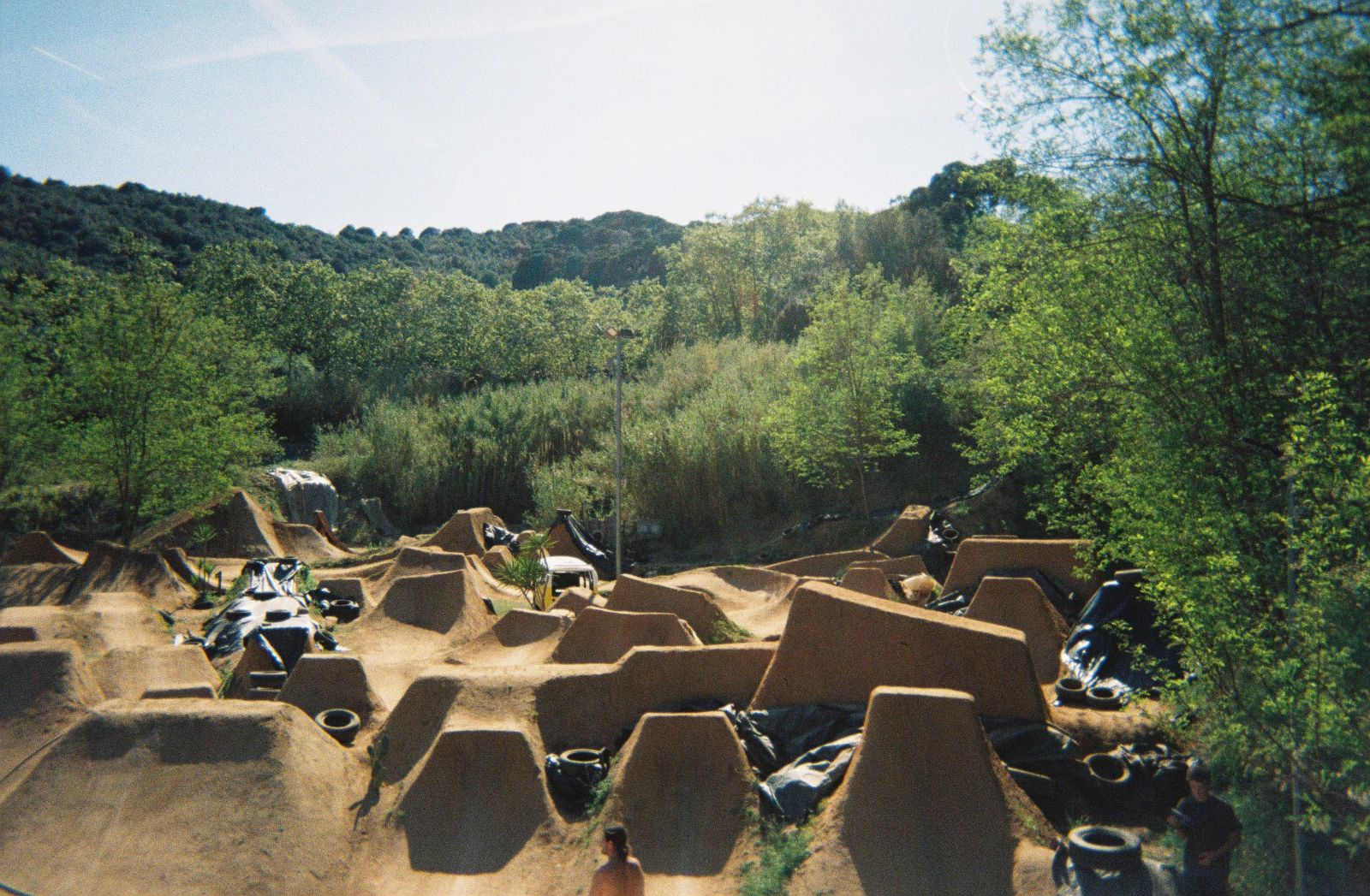
APPROACH → vLIP → angle θ01 · Scope itBefore anyone drops in, they size up the jump: how much speed the approach gives, how hard the lip kicks. Jump Lab asks for that call first, as a prediction.LIP h₀LANDING h₁GAP x02 · Read the setEach jump is three numbers: how high the lip, how far to the landing, how high the landing sits. Those are Jump Lab’s takeoff height, target distance and landing height.peaky = h₀ + x·tanθ − g·x² / (2v²·cos²θ)03 · Plot itA whole park of them. Every lip-to-landing pair is its own parabola: change the speed or the angle and the arc moves with it, exactly as it does on the Jump Lab graph.
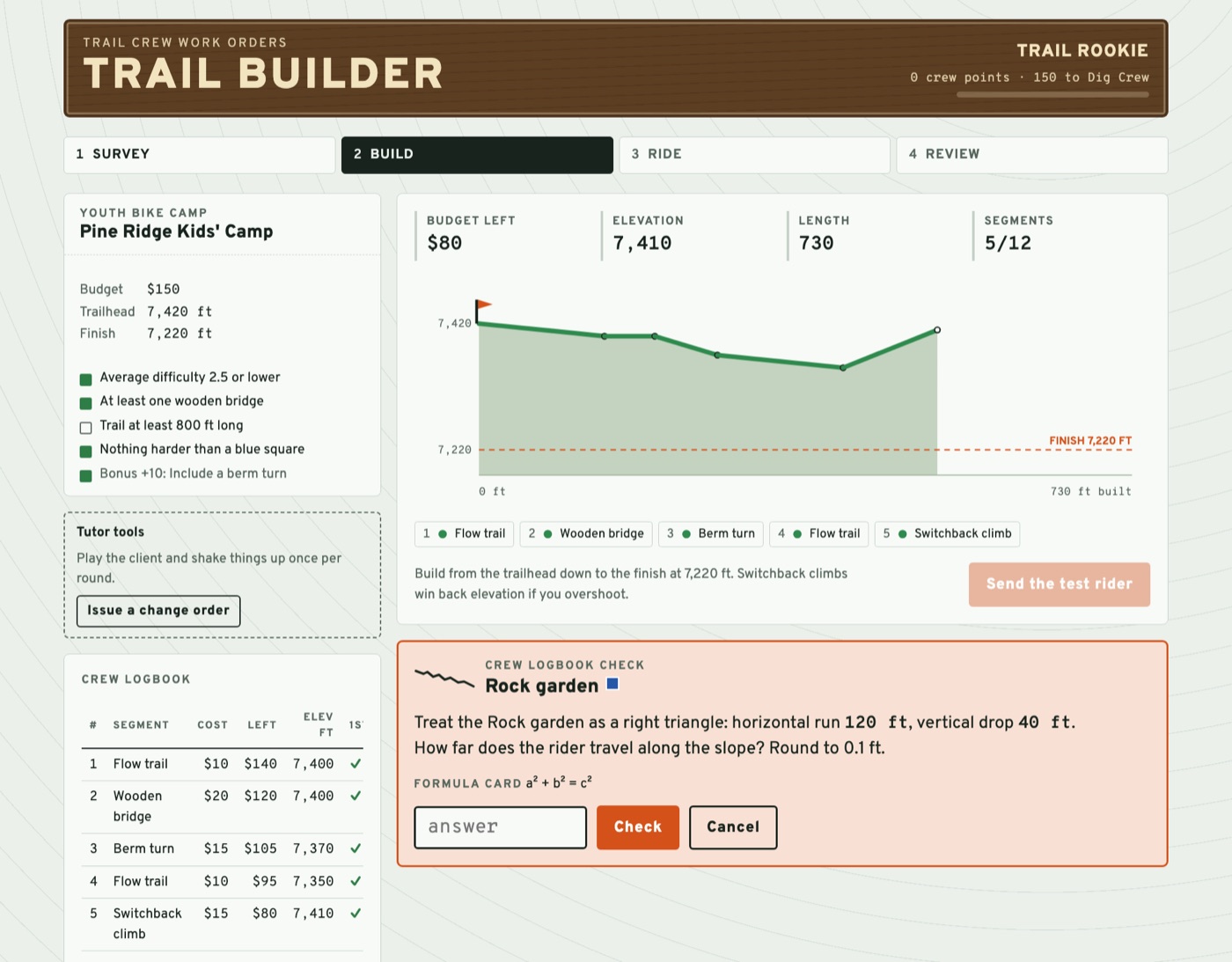
Mid-build: each new segment comes with a problem to solve before it goes in.
Algebra I – Calculus
Statistics
In person or online
Students run a trail crew. They take a work order from a client — a youth bike camp, a city greenway, an enduro race — and design a trail that fits the budget, meets the client’s requirements, and finishes at exactly the right elevation. Every segment they add comes with a math problem to solve first.
Math matched to the class. Pick Algebra I, Geometry, Algebra II, Precalculus, Statistics, or Calculus, and each segment brings its own problem — slopes, the Pythagorean theorem, jump trajectories, banking angles, expected value, derivatives. A wrong answer gets a hint before the solution is shown.
Real planning, real constraints. Students balance money, length, difficulty, and elevation while a live profile shows where the trail is headed. I can throw in change orders mid-round — a sponsor donation, a permit fee, a moved finish line — so they have to re-plan.
A test ride with consequences. A rider rolls the die on every tougher segment. Crashes, flats, and washouts cost money or points, so risky designs have to be worth it.
Explain the design. Each round ends with a score and a medal, then students name the trail and write a pitch to the client explaining, with numbers, why it works. Finished trails build into a network as they rank up from Trail Rookie to Master Builder.
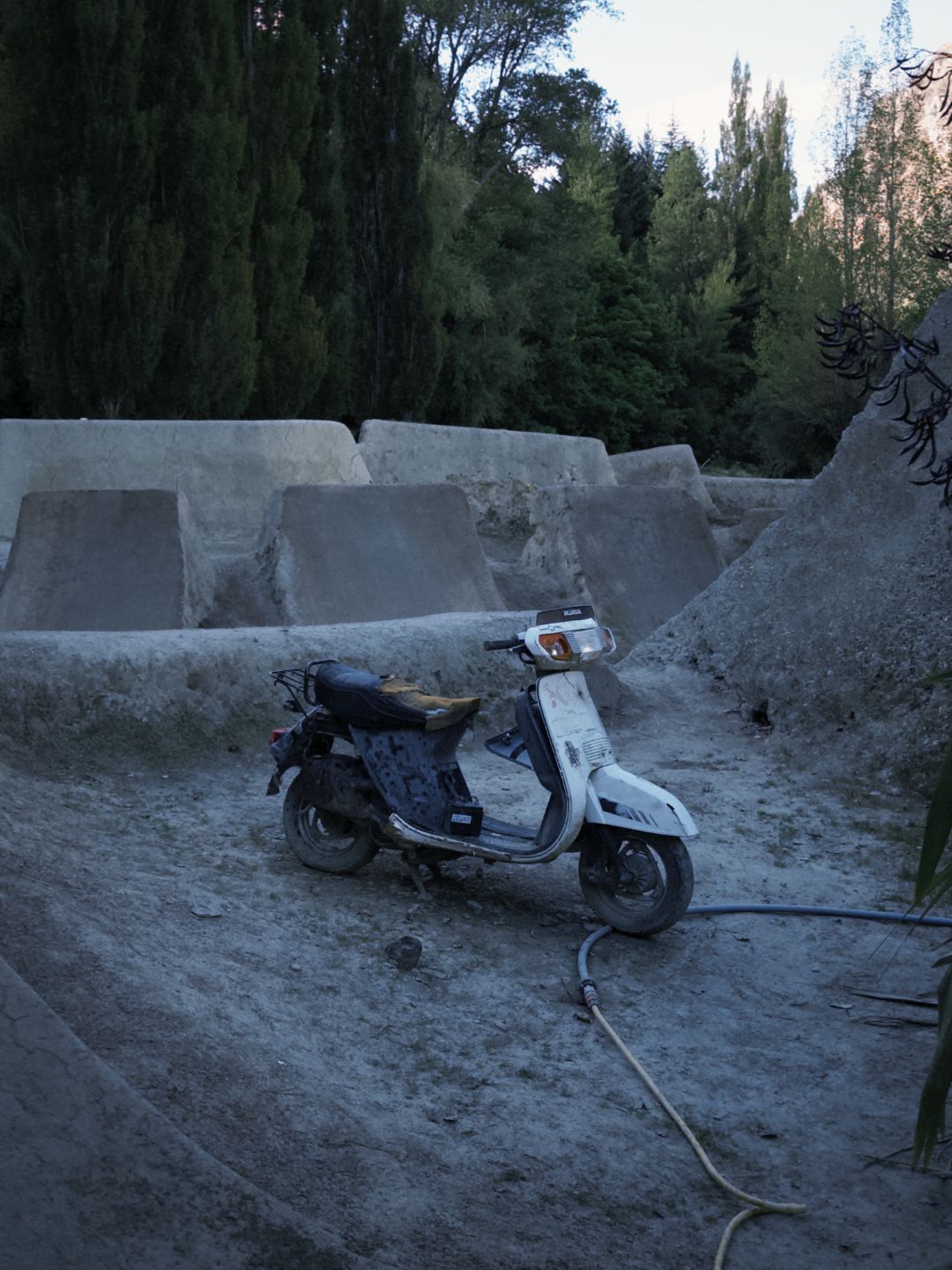
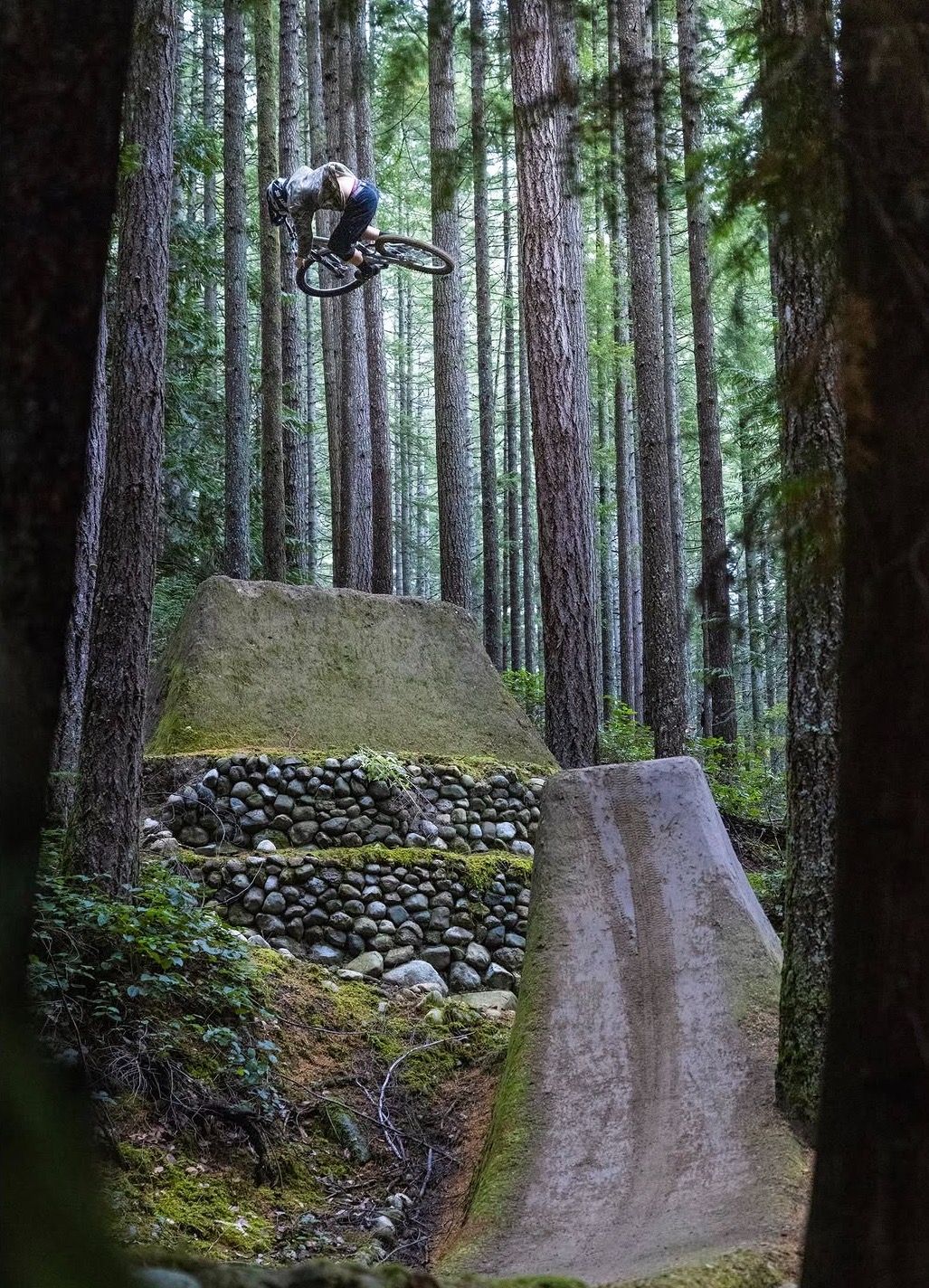
A jump like this gets planned long before a shovel hits the dirt. Trail Builder asks students the questions a builder works through first.
01 · SlopeHow steep is the takeoff? Rise over run sets how fast riders need to be going and how hard the segment is rated.
02 · CostThat stone wall took time and money. Every segment has to fit the client’s budget, so a big feature has to be worth it.
03 · AirWhere does the rider come down? Jump trajectories are one of the problems a segment can bring, and the test ride shows what happens if the numbers are off.
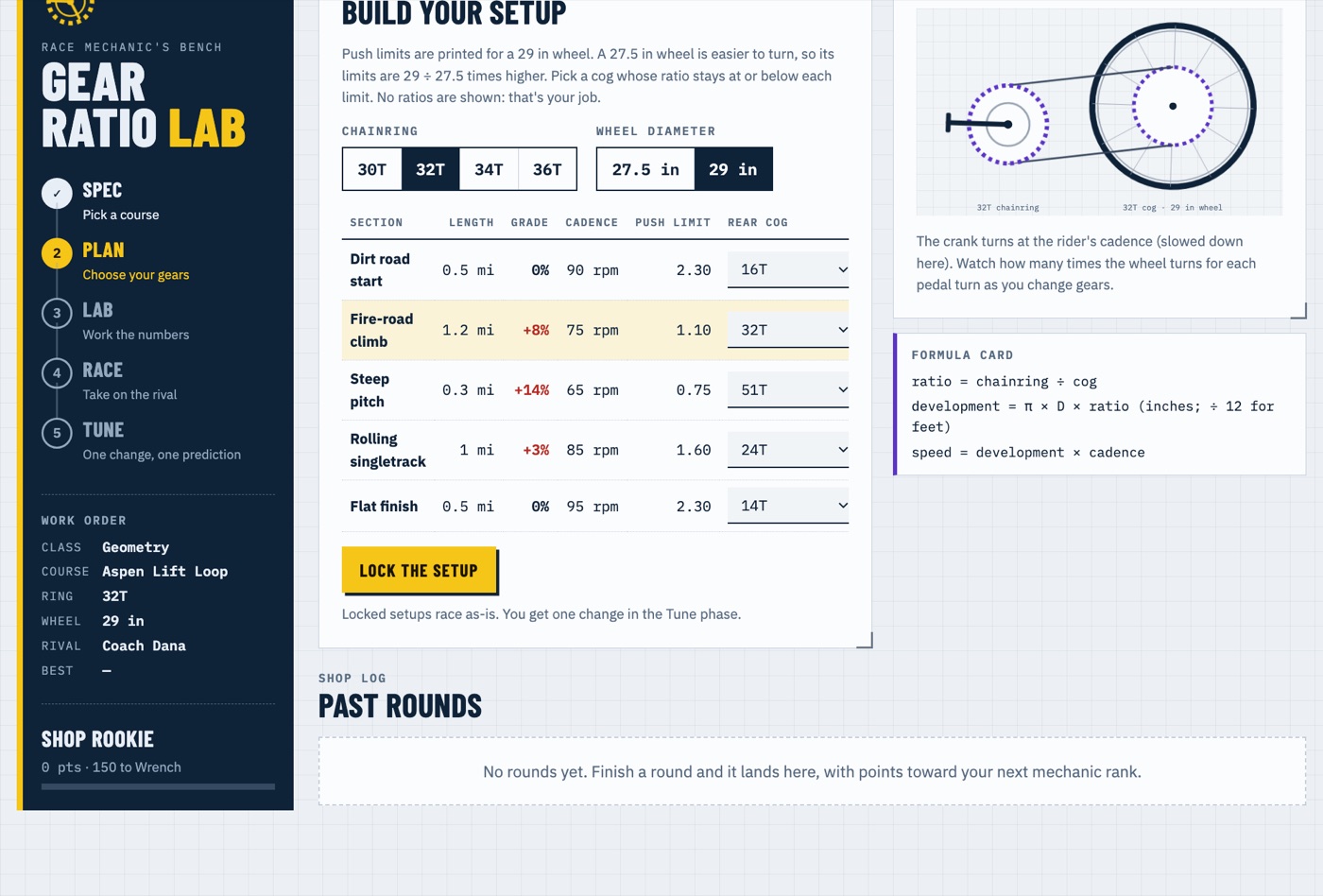
Building a setup: a cog for every section, with a live drivetrain preview.
Algebra I – Calculus
Statistics
In person or online
Students run the race mechanic’s bench. They pick a course, then choose a chainring, a wheel size, and a rear cog for every section — from a flat dirt-road start to a 14% pitch. Put on a gear that’s too big for a climb and the rider has to get off and walk; shift too often and the seconds add up.
Gears are math. On a lab sheet, students work out the gear ratio, distance per pedal stroke, speed, and time for every section, while an animated drivetrain shows how far the wheel turns for each turn of the pedals.
Math matched to the class. Pick Algebra I, Geometry, Algebra II, Precalculus, Statistics, or Calculus for a problem built from the student’s own setup — inequalities for the right cog, circumference and gear inches, angular velocity, percent jumps across the cassette, related rates. A wrong answer gets a hint before the solution is shown.
Race the rival. Their setup races a rival’s on the course profile, so every gear choice shows up as seconds won or lost.
Tune and predict. Students get one change, predict their new time before testing it, and answer a mechanic’s question that makes them explain the trade-off with numbers. I score that answer with a rubric, and each round earns a medal as students rank up from Shop Rookie to Chief Mechanic.
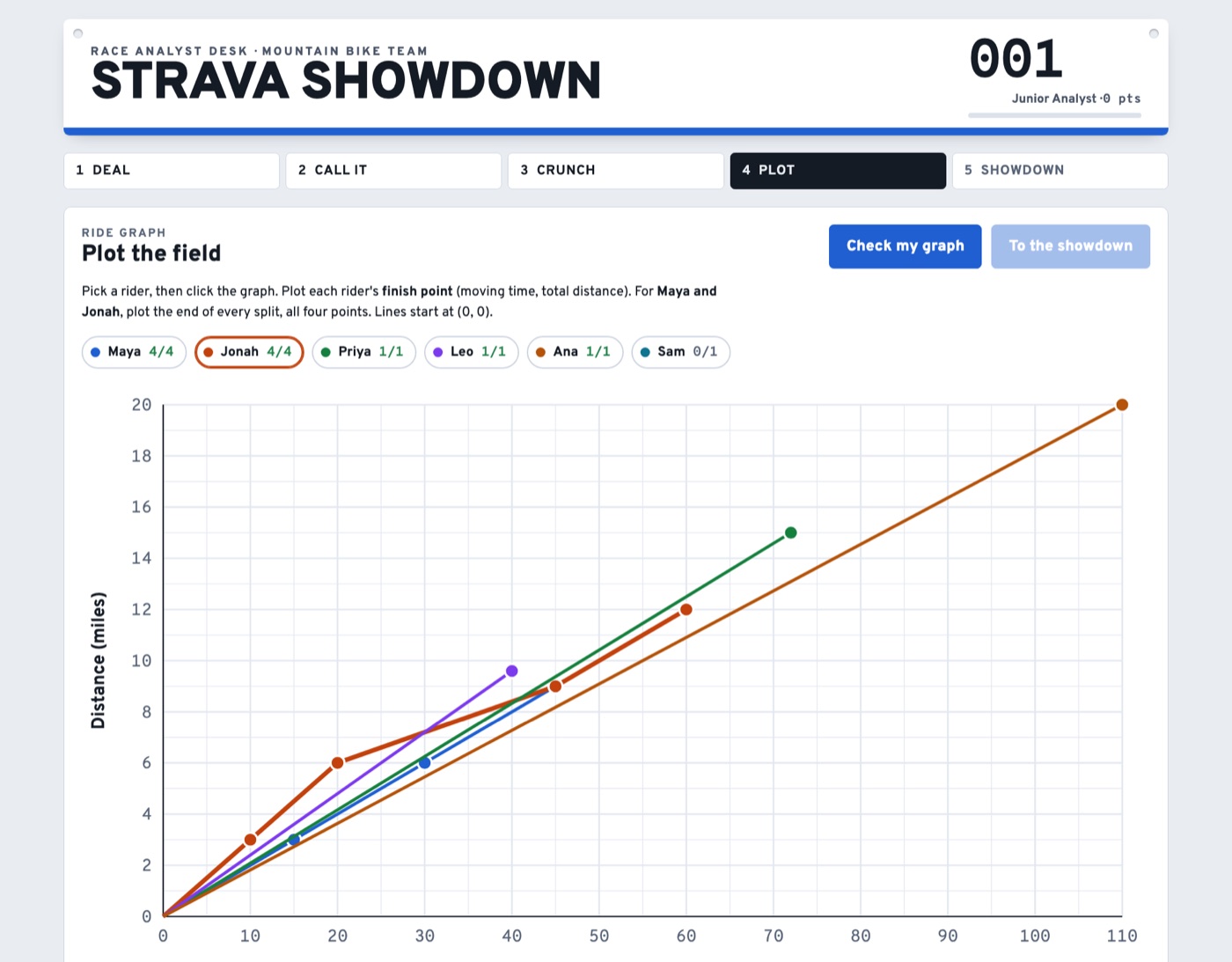
The graph step: every line’s slope is a rider’s speed.
Algebra I – Calculus
Statistics
In person or online
Students play the data analyst for a mountain bike team. They’re dealt a field of riders, each with a Strava-style ride card — distance, moving time, elevation gain, and four split times — and a race brief saying what the team needs: the fastest rider, the best climber, the steadiest pacer, or the strongest single effort.
Call it, then prove it. Students predict the podium before doing any math, then work out each rider’s average speed, climb rate, or split range on an analyst sheet to see whether their gut was right.
Math matched to the class. Pick Algebra I, Geometry, Algebra II, Precalculus, Statistics, or Calculus for an extra problem about the same riders — from catch-up problems with d = rt to z-scores and the Mean Value Theorem. A wrong answer gets a hint before the solution is shown.
Graph it. Students plot the whole field on a distance–time graph and see that slope is speed — including two riders with identical totals whose rides tell very different stories.
Make the case. A coach’s question asks them to pick a rider and defend it with numbers and the graph. I score the answer with a rubric, and each round earns a score and a medal as students rank up from Junior Analyst to Head of Data.
The MTB Jump Lab: set speed, angle, and height, then see where the rider lands and why.
Physics
Quadratics · Vectors · Trig
In person or online
A set of interactive physics labs built around riding. In the MTB Jump Lab, students set the launch speed, takeoff angle, and ramp height, predict where the rider will land, then launch and watch the path, with the equations that explain it right alongside. Three more labs cover splitting a velocity into its parts, braking distance, and why tight, fast corners feel so intense.
Predict first. With predictions on, the path and landing stay hidden until launch, so students commit to an answer before the physics reveals it.
Real equations, real numbers. Flight time, landing distance, and velocity components come straight from the projectile-motion equations, in US or metric units, with hints that get more specific each time.
One variable at a time. Guided challenges lock every setting except the one being investigated, and students can save attempts side by side to compare.
Tutor Mode. I choose challenges, turn equations and hints on or off, require predictions, read students’ written explanations, and mark each concept from “Needs practice” to “Demonstrated independently.”
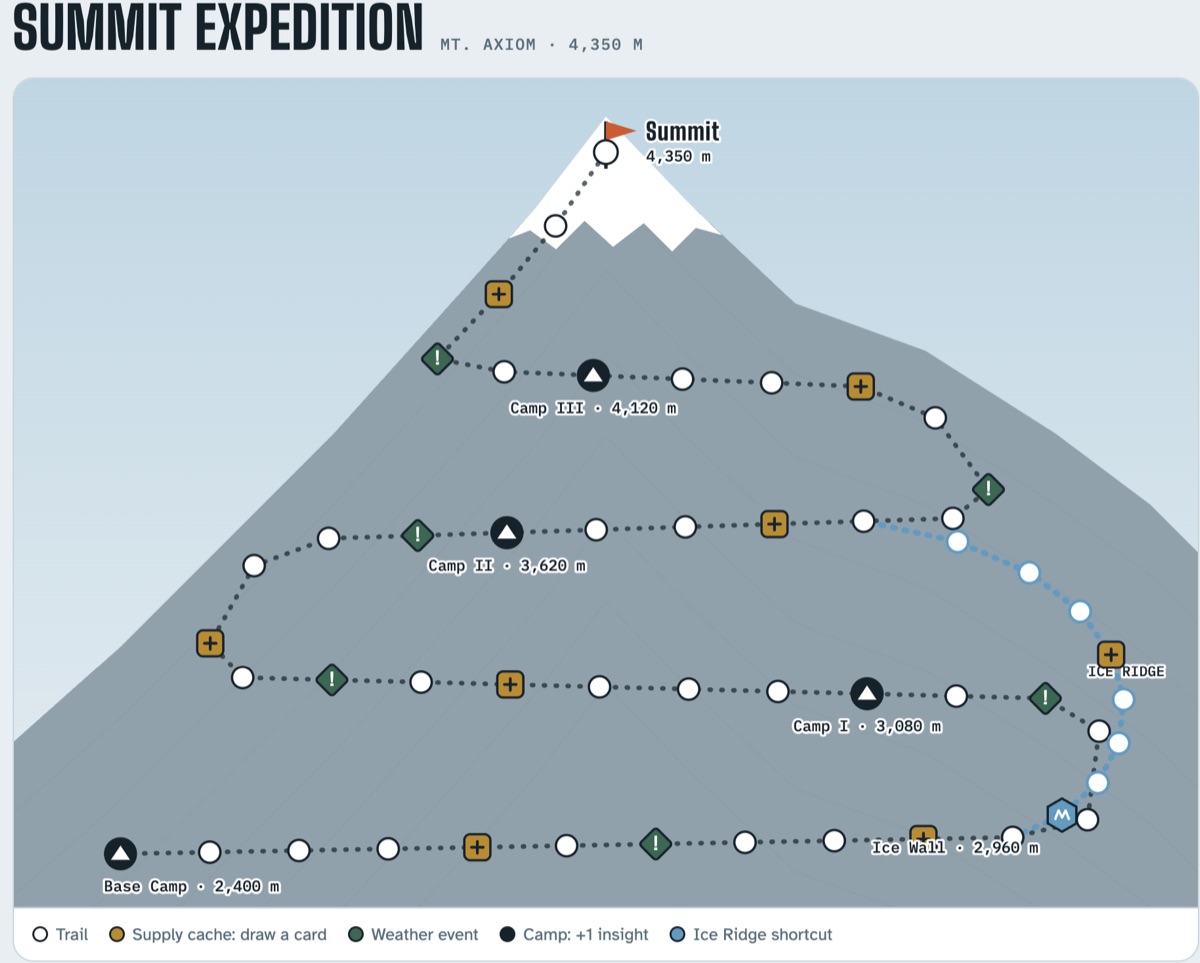
The trail up Mt. Axiom, from Base Camp (2,400 m) to the summit (4,350 m).
Algebra I – Calculus
1–4 players
In person or online
Students race to climb Mt. Axiom by solving math problems. On each turn, a player rolls a die and then chooses how hard a problem to take on — Safe, Bold, or Daring. Harder problems move them farther up the trail when they get them right.
Mistakes never send anyone backward. After a wrong answer, the student sees a worked solution and earns insight tokens they can trade for power-ups like a hint or a second try.
Fresh problems every game. I choose which topics are in play, and the difficulty quietly adjusts to how each student is doing.
Something to aim for. Supply caches, weather events, camps, and a risky Ice Ridge shortcut guarded by an Ice Wall keep every climb different.
A clear picture of progress. A session report at the end shows accuracy by skill and every problem a student missed, so we know exactly what to work on next.
Sessions run on Zoom with a shared digital whiteboard.
Private Tutoring
Work with a tutor one-on-one
Every tool in the Lab was built for real tutoring sessions. Every student learns differently, so in one-on-one virtual sessions we work through problems together on a shared whiteboard, visualize the hard ideas, and build the problem-solving skills that carry over to the next test and beyond.